orangepizero2的Linux内核驱动编译等过程
·
目录
前言
其实手册中已经给出了具体的详细过程,但博主不太懂Makefile,同时香橙派官方提供的./build总是会编译全部,并且不会显示错误信息。所以这里就自己先把自己摸索的正确过程写出来:其实类似于树莓派
具体过程:前面大部分看手册就可以完成
编译系统需求
博主的是orangepizero2,属于旧版,所以以下是根据旧版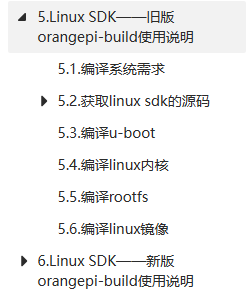
- 替换清华源:
sudo vim /etc/apt/sources.list:https://mirrors.tuna.tsinghua.edu.cn/help/ubuntu/ - sudo apt update
获取Linux sdk源码
sudo apt updatesudo apt -y install gitgit clone https://github.com/orangepi-xunlong/orangepi-build.git
如果这里出现git无法下载的情况
sudo apt upgradesudo apt update
再重新执行一次下载git
分支说明:orangepizero2:H616属于legacy

下载交叉编译工具链,同时编译linux内核
获取完毕linux源码后:
sudo ./build.sh- 选择
Kernel package - 选择开发板信号,我的为
orangepizero2 H616 - 根据自己的板子选择分支,我的是
legacy分支 - 弹出
make menuconfig打开的内核配置界面,如果不需要修改内核配置,直接选择Exit退出就行- 如果这里出现错误,可能是界面太小了,
menuconfig无法弹出 - 如果不需要修改内核的配置选项,在运行
build.sh脚本时,传入KERNEL_CONFIGURE=no就可临时屏蔽弹出内核的配置界面了
- 如果这里出现错误,可能是界面太小了,
- 以上过程完毕后,交叉编译工具链下载完毕,同时linux内核编译完毕 ,如果是写驱动的话,这里就差不多搞定了
- 交叉编译工具存放路径

- 设定环境变量,在工作目录下:
sudo vi .bashrc 
source .bashrc即可
- 交叉编译工具存放路径
- 内核存放路径:
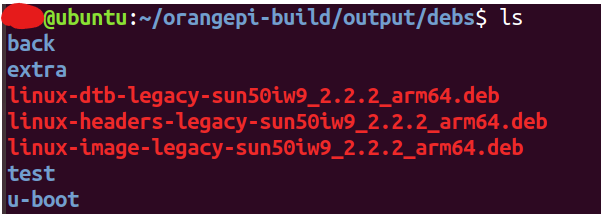
- 关闭同步:

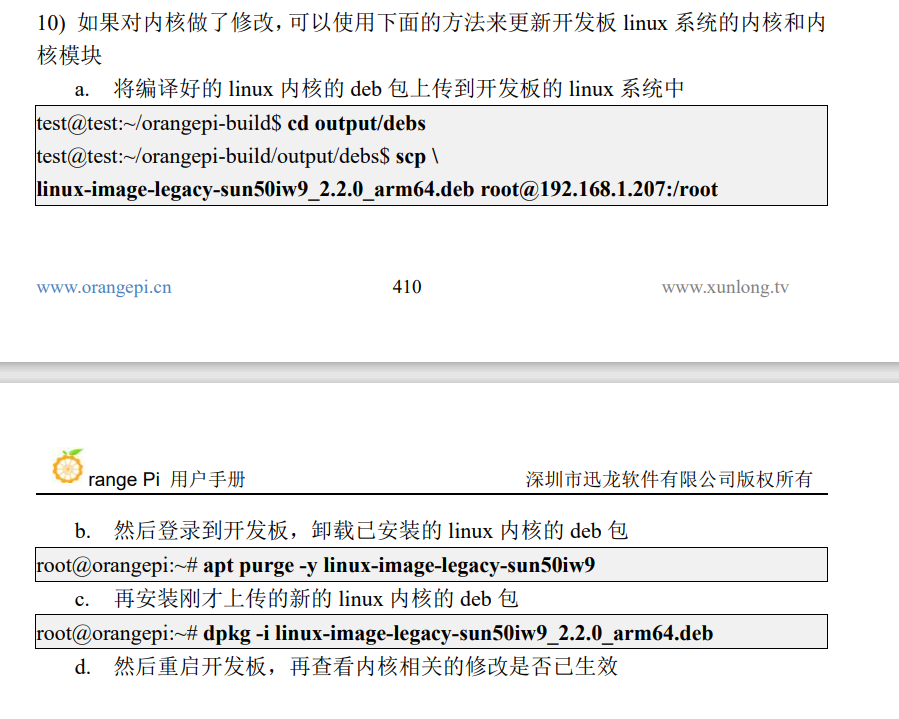
驱动代码:
#include <linux/fs.h>
#include <linux/module.h>
#include <linux/init.h>
#include <linux/device.h>
#include <linux/uaccess.h>
#include <linux/types.h>
#include <asm/io.h>


static struct class *pin4_class;
static struct device *pin4_class_dev;

static dev_t devno;            //设备号
static int major =231;       //主设备号
static int minor =0;          //次设备号
static char *module_name="pin4";   //模块名

//ssize_t (*read) (struct file *, char __user *, size_t, loff_t *);
static ssize_t pin4_read(struct file *file, char __user *buf, size_t count, loff_t *ppos)
{
        printk("pin4_read\n");
        return 0;
}

static int pin4_open(struct inode *inode,struct file *file)
{

        printk("pin4_open\n");
        return 0;
}

static ssize_t pin4_write(struct file *file,const char __user *buf,size_t count, loff_t *ppos)
{
        printk("pin4_write\n");
        return 0;
}

static struct file_operations pin4_fops = {
        .owner = THIS_MODULE,
        .open  = pin4_open,
        .write = pin4_write,
        .read  = pin4_read,
};
//static int __init
static int  pin4_drv_init(void)
{
        int ret;
        devno = MKDEV(major,minor);
        ret   = register_chrdev(major, module_name,&pin4_fops);
        pin4_class=class_create(THIS_MODULE,"myfirstdemo");
        pin4_class_dev =device_create(pin4_class,NULL,devno,NULL,module_name);

        return 0;
}

static void pin4_drv_exit(void)
{

        device_destroy(pin4_class,devno);
        class_destroy(pin4_class);
        unregister_chrdev(major, module_name);
}

module_init(pin4_drv_init);
module_exit(pin4_drv_exit);
MODULE_LICENSE("GPL");
~
~
测试代码
#include <stdio.h>
#include <sys/types.h>
#include <sys/stat.h>
#include <fcntl.h>
#include <unistd.h>

int main()
{
    int fd;
    fd = open("/dev/pin4",O_RDWR);
    if(fd < 0){
        printf("open fail\n");
    }else {
        printf("open success\n");
    }
    fd = write(fd,'1',1);
}
编译命令:
注意路径xxx@ubuntu:~/orangepi-build/kernel/orange-pi-4.9-sun50iw9$ ARCH=arm64 CROSS_COMPILE=aarch64-none-linux-gnu- KERNEL=kernel make modules

昇腾计算产业是基于昇腾系列(HUAWEI Ascend)处理器和基础软件构建的全栈 AI计算基础设施、行业应用及服务,https://devpress.csdn.net/organization/setting/general/146749包括昇腾系列处理器、系列硬件、CANN、AI计算框架、应用使能、开发工具链、管理运维工具、行业应用及服务等全产业链
更多推荐

 1
1 0
0- 0


 已为社区贡献2条内容

所有评论(0)