昇思25天学习打卡营第3天|dataset
here are some methods to use dataset with mindspore architecture.
url = 'xxx'
path = download(url, "./", kind="zip", replace=True)
load some dataset.
like url = "https://mindspore-website.obs.cn-north-4.myhuaweicloud.com/" \
"notebook/datasets/MNIST_Data.zip"
we can shuffle it, which means mixture to make it more random:
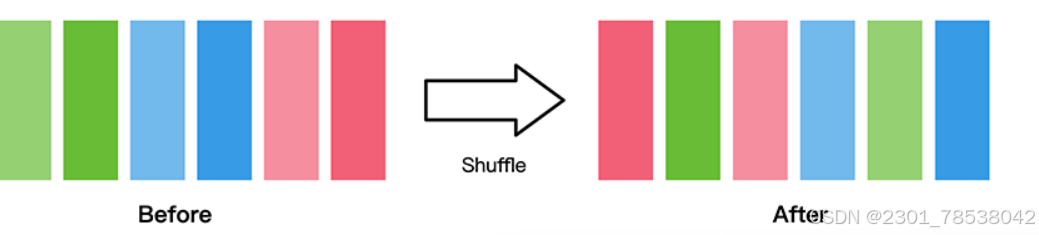
train_dataset = MinstDataset("MNIST_Data/train", shuffle=True)
visualize some data:
def visualize(dataset):
    figure = plt.figure(figsize=(4,4))
    cols, rows = 3,3
    plt.subplots_adjust(wspace=0.5, hspace=0.5)
    for idx, (image, label) in enumerate(dataset.create_tuple_iterator()):
        figure.add_subplot(rows, cols, idx+1)
        plt.title(int(label))
        plt.axis("off")
        plt.imshow(image.asnumpy().squeze, cmap="gray")
        if idx == cols * rows - 1:
        break
    plt.show()
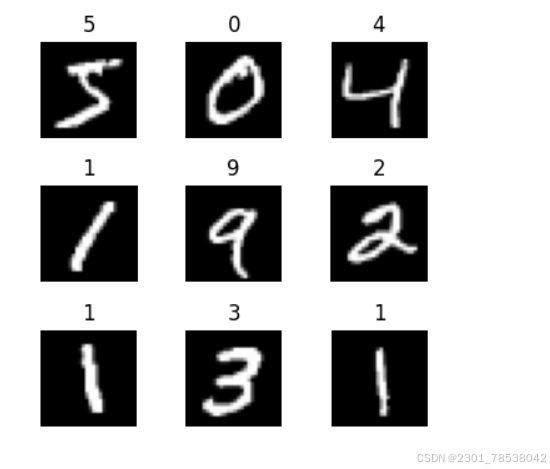
enumerate(dataset.create_tuple_iterator()) supplies the api to access data by iterator.
if we run the code, the output:
visualize(train_dataset)
and most importantly, batch operation.

train_dataset = train_dataset.batch(batch_size = 64)
this is a tradeoff of your calc resource and the data size.
It would appear more than once in neural network.
Besides, your can access data with your own way:
class RandomAccessDataset:
    def __init__(self):
        self.data = np.ones((5,2))
        self.label = np.zeros ((5,1))
    def __getitem__(self,index):
        return self._data[index], self._label[index]
    def __len__(self):
        return len(self._data)
loader = RandomAccessDataset()
dataset = GeneratorDataset(source=loader, column_names=["data","label"])

for data in dataset:
    print(data)

昇腾计算产业是基于昇腾系列(HUAWEI Ascend)处理器和基础软件构建的全栈 AI计算基础设施、行业应用及服务,https://devpress.csdn.net/organization/setting/general/146749包括昇腾系列处理器、系列硬件、CANN、AI计算框架、应用使能、开发工具链、管理运维工具、行业应用及服务等全产业链
更多推荐

 4
4 0
0- 0


 已为社区贡献26条内容

所有评论(0)