【MindStudio训练营第一期】--【新手班】大作业
服务器:华为云ECS
系统环境:昇腾官方指定提供
工具软件:Xshell 7, Xftp 7
目录
一、选题
使用Mindstudio成功复现昇腾社区中的MindX SDK应用案例--Image Coloring
Image Coloring-昇腾社区 (hiascend.com)
二、准备
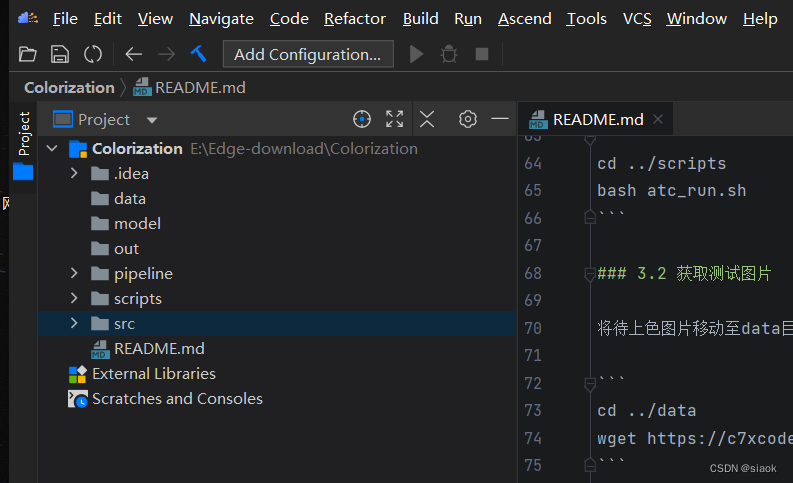
下载选定样例指定的工程文件,并手动创建data,model,out等三个文件夹,用Mindstudio打开
三、运行
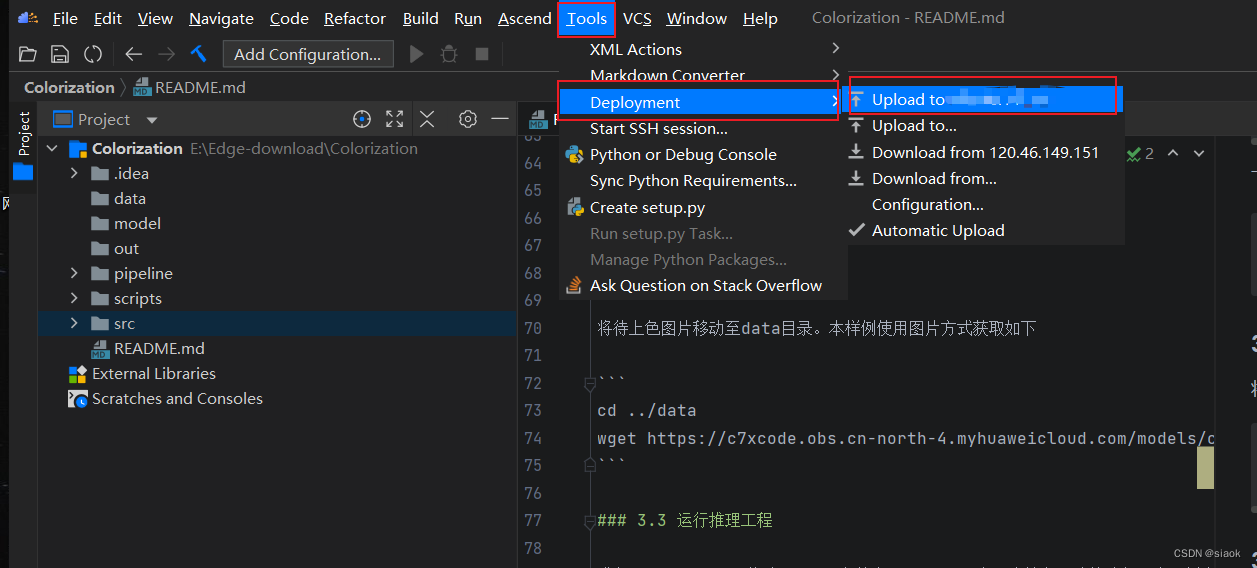
3.1 使用Tools->Deployment->Upload to xxxx 将工程文件上传到你的服务器上
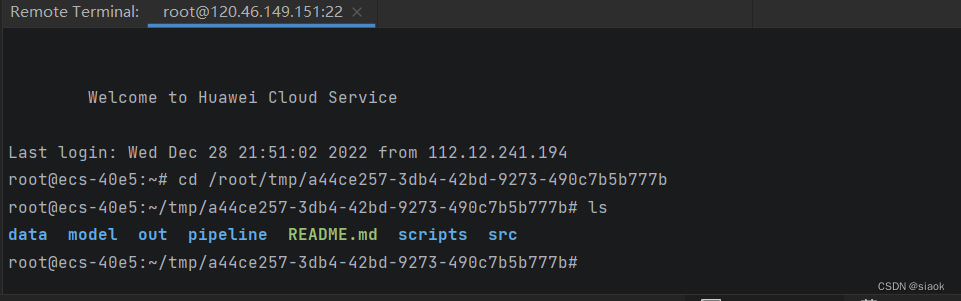
3.2 登录ECS,cd至你上传的工程文件夹的位置
tips:如何知道你上传的工程文件夹在哪个位置?
①使用Tools->Deployment->Configuration
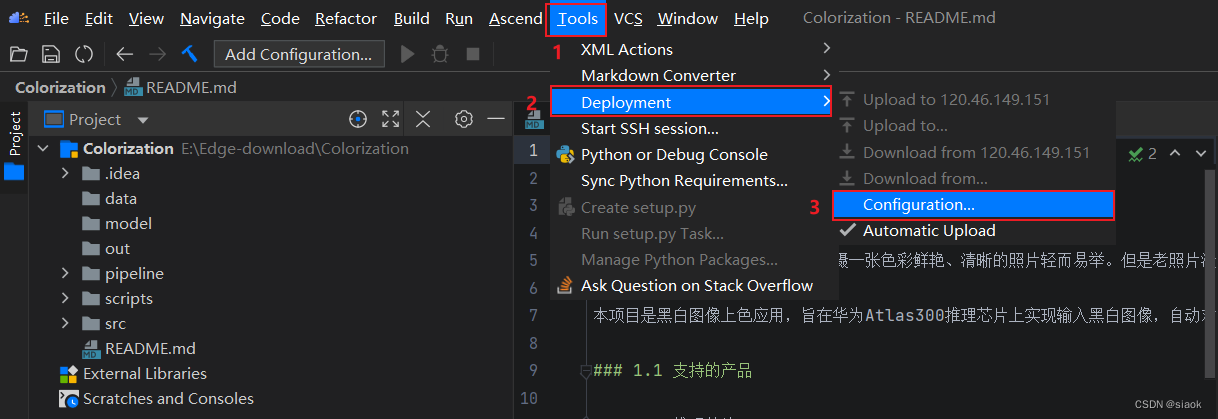
②Mappings->Deployment path ,红框中就是你上传文件在服务器上存放的位置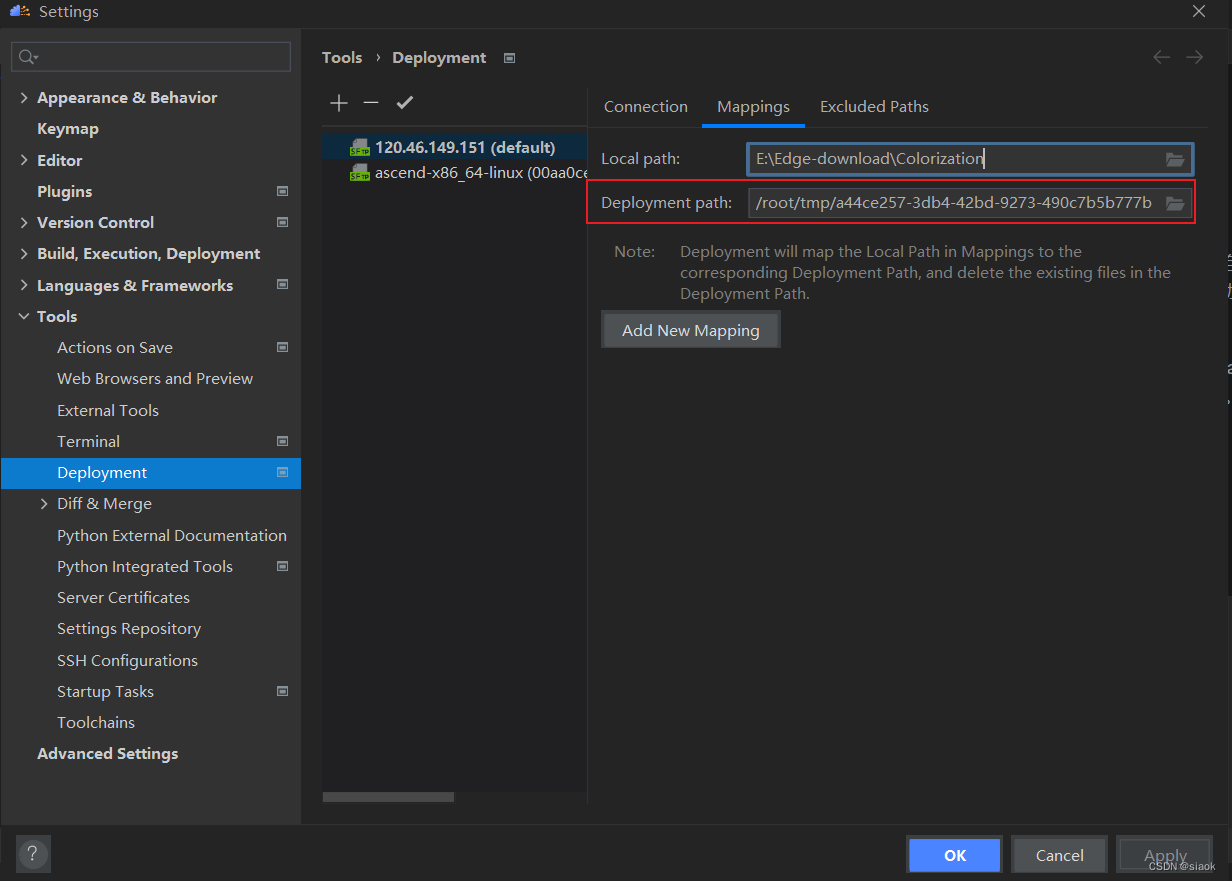
3.3 使用以下命令下载model文件并解压,目的是我们需要使用atc工具转换为om模型
cd model
wget https://mindx.sdk.obs.myhuaweicloud.com/mindxsdk-referenceapps%20/contrib/Colorization/model.zip
unzip model.zip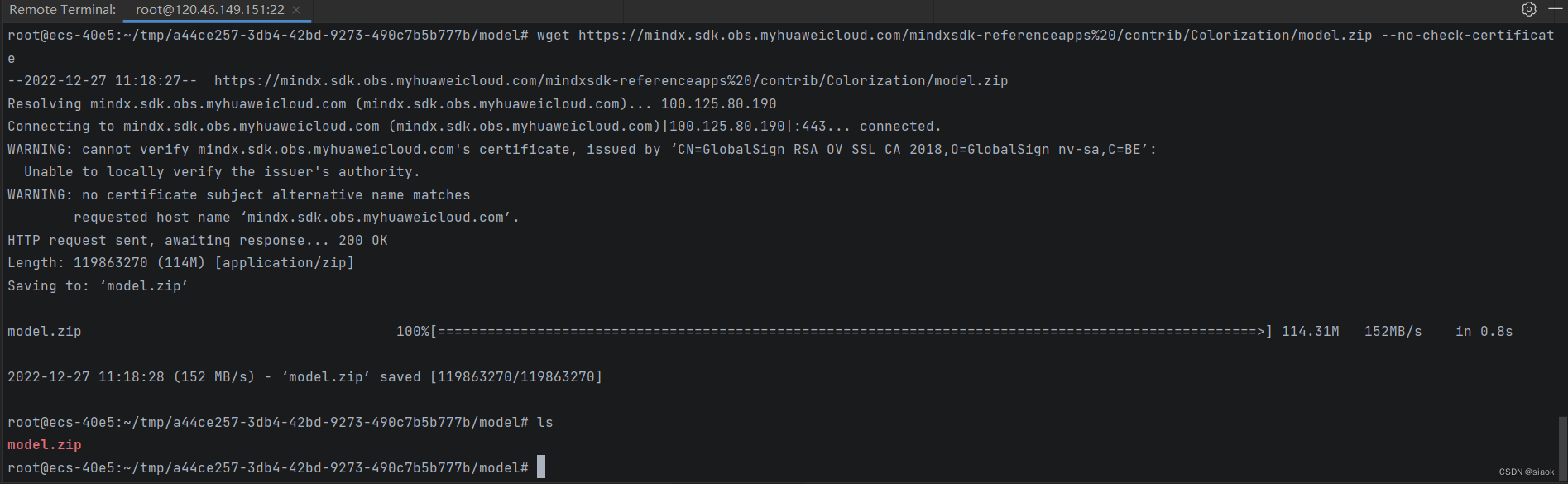
注意:wget 后面需要加上“--no-check-certificat",不然会报如下的错误

3.4 进入scripts目录执行模型转换脚本
cd ../scripts
bash atc_run.sh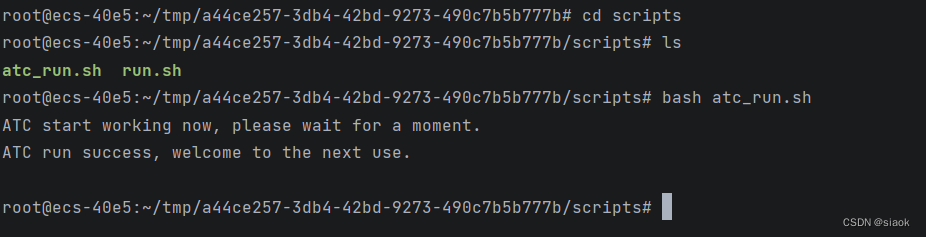
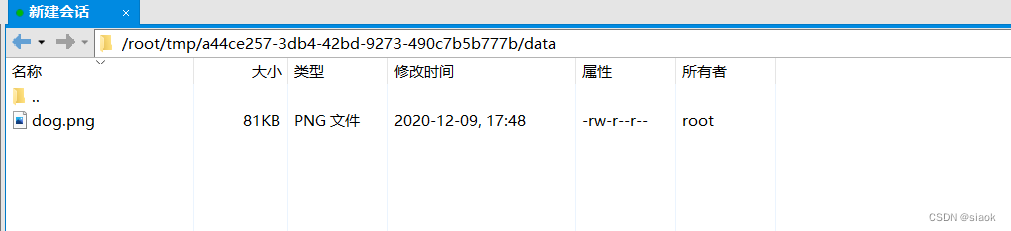
3.5 cd 至data目录下,获取测试图片
cd ../data
wget https://c7xcode.obs.cn-north-4.myhuaweicloud.com/models/colorization_picture-python/dog.png
3.6 cd至src目录下,运行main.py
cd src
python3 main.py ../data/dog.png

3.7 运行结果对比
data/dog.png

out/out_dog.png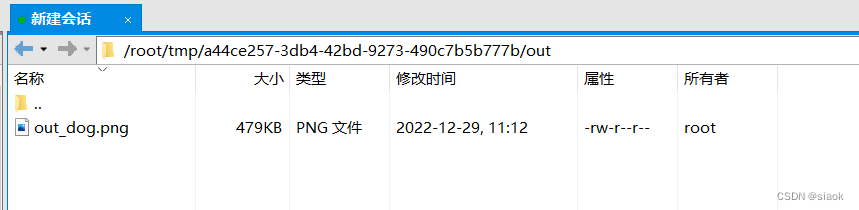

四、可视化流程编排
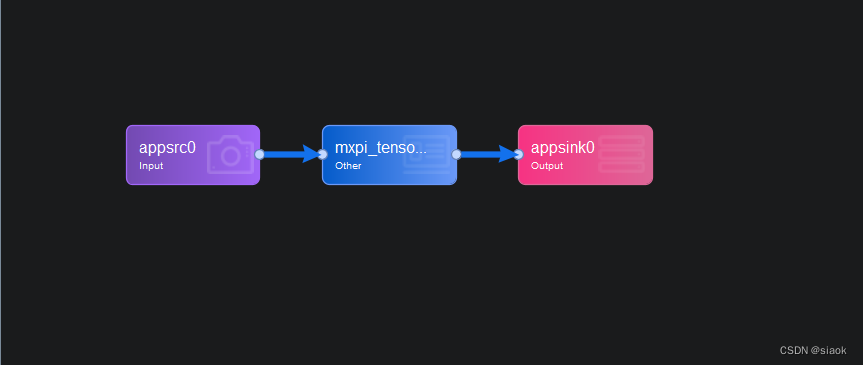
1.appsrc0
输入图片
插件详情如下
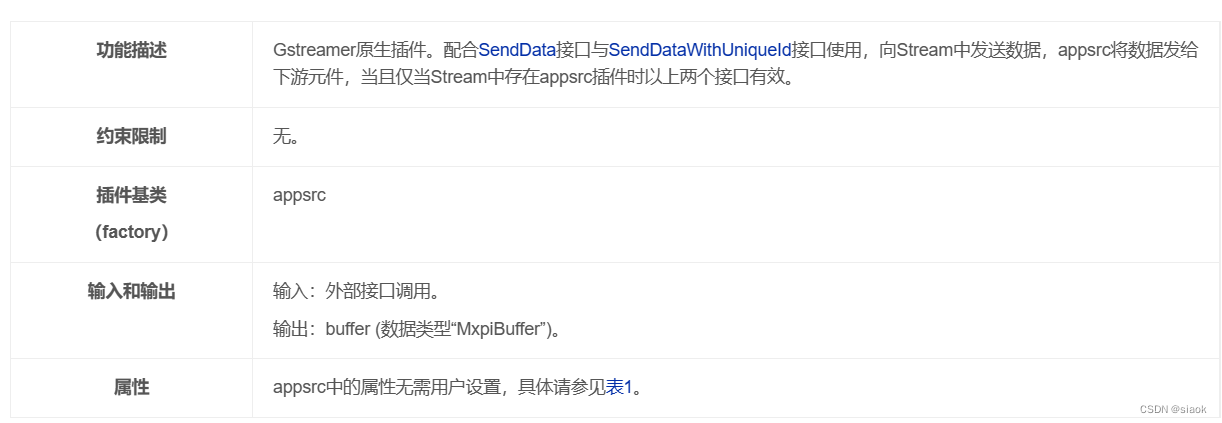
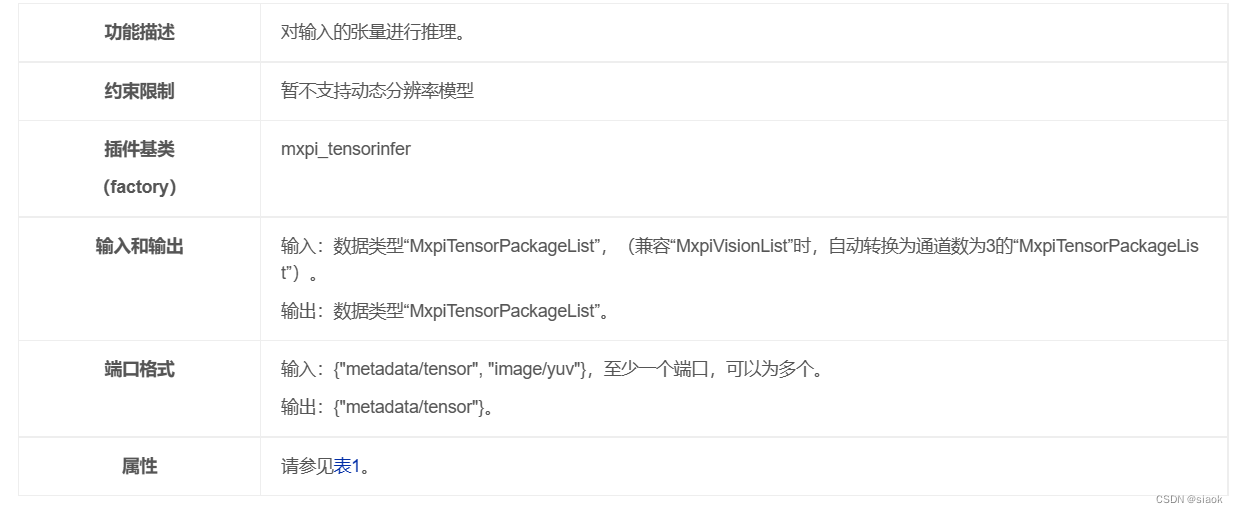
2.mxpi_tensorinfer
对输入的图片进行推理
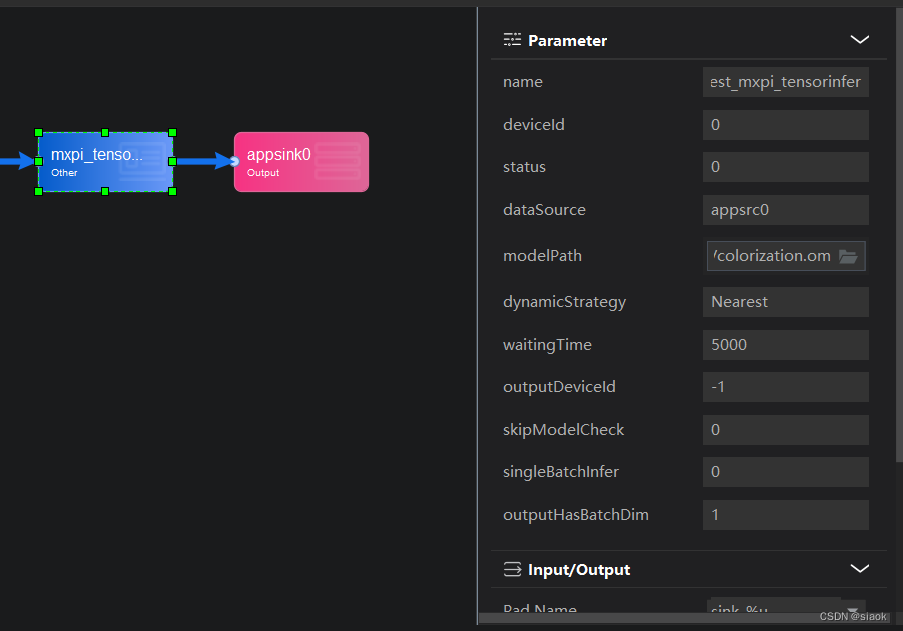
插件详情如下
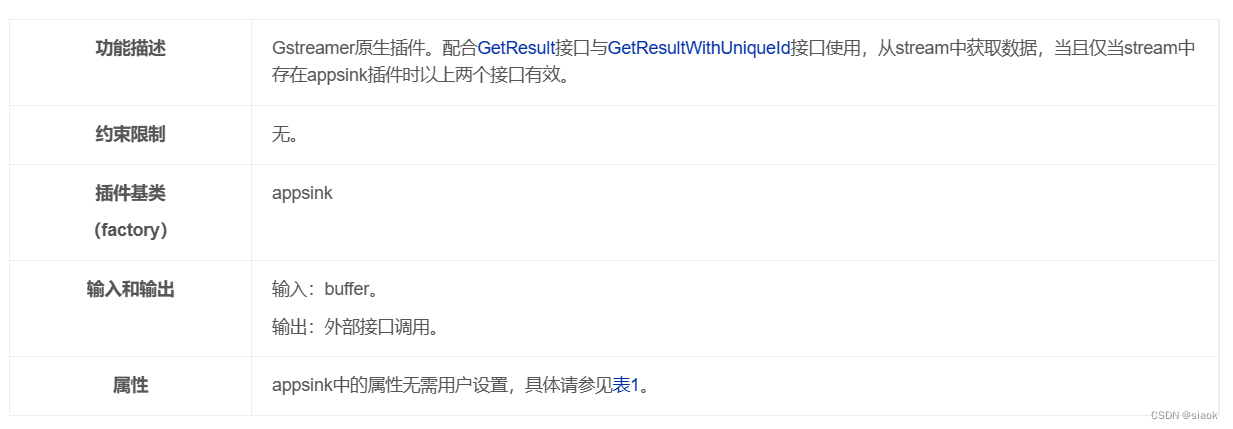
3.appsink0
对推理后的图片进行输出
插件详情如下
五、工程代码分析
1.初始化流并构建pipeline
streamManagerApi = StreamManagerApi()
ret = streamManagerApi.InitManager()

pipeline = b"../pipeline/colorization.pipeline"
ret = streamManagerApi.CreateMultipleStreamsFromFile(pipeline)
2.图片前处理
origShape, origL, lData = preprocess(inputPic)
将inputPic传入前面定义的preprocess方法,该方法抽取黑白图片L通道,得到orig_shape, orig_l, l_data这个值
3. 根据流名将检测目标传入数据流中,启用appsrc0插件进行输入
treamName = b'colorization'
inPluginId = 0

tensor = lData[None, None, :]
tensorPackageList = MxpiDataType.MxpiTensorPackageList()
tensorPackage = tensorPackageList.tensorPackageVec.add()
key0 = b"appsrc0"
protobufVec = InProtobufVector()
protobuf = MxProtobufIn()
protobuf.key = key0
protobuf.type = b'MxTools.MxpiTensorPackageList'
protobuf.protobuf = tensorPackageList.SerializeToString()
protobufVec.push_back(protobuf)
uniqueId = streamManagerApi.SendProtobuf(streamName, inPluginId, protobufVec)4.从流里获取数据,启用mxpi_tensorinfer0进行推理
    key1 =  b"mxpi_tensorinfer0"
    keyVec = StringVector()
    keyVec.push_back(key1)

    inferRes = streamManagerApi.GetProtobuf(streamName, inPluginId, keyVec)
5.推理完成后,输出结果
  res = np.frombuffer(tensorList.tensorPackageVec[0].tensorVec[0].dataStr, dtype=np.float32)

  postprocess(res, inputPic, origShape, origL)
昇腾计算产业是基于昇腾系列(HUAWEI Ascend)处理器和基础软件构建的全栈 AI计算基础设施、行业应用及服务,https://devpress.csdn.net/organization/setting/general/146749包括昇腾系列处理器、系列硬件、CANN、AI计算框架、应用使能、开发工具链、管理运维工具、行业应用及服务等全产业链
更多推荐

 0
0 0
0- 0


 已为社区贡献3条内容

所有评论(0)