导入MySQL元数据到Apache Atlas
导入MySQL元数据到Apache Atlas
元数据导入流程
导入流程分为一下几个步骤:
- 定义MySQL元数据模型
- 采集MySQL元数据
- 将元数据导入到Atlas
想要定义合适的元数据类型,就必须先了解Atlas的类型系统,见下面介绍。
Atlas 类型系统
Atlas 允许用户为他们想要管理的元数据对象定义一个模型。该模型由称为“types”的定义组成。被称为“entities”的“types”实例代表被管理的实际元数据对象。类型系统是一个允许用户定义和管理类型和实体的组件。由 Atlas 开箱即用的管理的所有元数据对象(例如 Hive tables)都使用类型建模并表示为实体。
Atlas 原生定义的类型的一个示例: Hive table。使用以下属性定义 Hive tables:
Name:         hive_table
TypeCategory: Entity
SuperTypes:   DataSet
Attributes:
    name:             string
    db:               hive_db
    owner:            string
    createTime:       date
    lastAccessTime:   date
    comment:          string
    retention:        int
    sd:               hive_storagedesc
    partitionKeys:    array<hive_column>
    aliases:          array<string>
    columns:          array<hive_column>
    parameters:       map<string>
    viewOriginalText: string
    viewExpandedText: string
    tableType:        string
    temporary:        boolean
从上面的例子可以看出以下几点:
Atlas中的type由name唯一标识,如上所述的hive_table- A type has a metatype. Atlas 具有以下元类型:
- Primitive metatypes:
boolean、byte、short、int、long、float、double、biginteger、bigdecimal、string、date Enummetatypes- Collection metatypes:
array, map - Composite metatypes:
Entity, Struct, Classification, Relationship
- Primitive metatypes:
- 实体和分类类型可以从其他类型中 “extend”,称为 “supertype”–凭借这一点,它也将获得包括超类型中定义的属性。这允许建模者在一组相关类型中定义共同的属性等。这又类似于面向对象语言为一个类定义超类的概念。Atlas中的一个类型也有可能从多个超类型中扩展出来。
- 在这个例子中,每个hive table 都是从一个预定义的超级类型 "DataSet "延伸而来。
- 具有 “
Entity”、“Struct”、"Classification"或 "Relationship"元类型的type可以有一个attributes的集合。每个attribute都有一个名称(例如’name’)和其他一些相关的属性。一个属性可以使用表达式type_name.attribute_name来引用。同样值得注意的是,属性本身是用Atlas元类型定义的。- 在这个例子中,
hive_table.name是一个字符串,hive_table.aliases是一个字符串数组,hive_table.db是指一个名为hive_db的类型的实例,等等。
- 在这个例子中,
- 属性中的类型引用,(如
hive_table.db)是特别有趣的。注意,使用这样的属性,我们可以在Atlas中定义的两个类型之间定义任意的关系,从而建立丰富的模型。请注意,我们也可以收集一个引用列表作为属性类型(比如hive_table.columns,它代表了一个从hive_table到hive_column类型的引用列表)
一、定义MySQL元数据模型
通过了解官方文档,以及提供的模型示例,接下来定义自己的元数据模型:
{
    "enumDefs": [],
    "structDefs": [],
    "classificationDefs": [],
    "entityDefs": [
        {
            "name": "jdbc_instance",
            "description": "Instance that the jdbc datasource",
            "superTypes": ["DataSet"],
            "serviceType": "jdbc",
            "typeVersion": "1.0",
            "attributeDefs": [
                {
                    "name": "url",
                    "typeName": "string",
                    "isOptional": true,
                    "cardinality": "SINGLE",
                    "isUnique": false,
                    "isIndexable": true
                },
                {
                    "name": "userName",
                    "typeName": "string",
                    "isOptional": true,
                    "cardinality": "SINGLE",
                    "isUnique": false,
                    "isIndexable": false
                },
                {
                    "name": "productName",
                    "typeName": "string",
                    "isOptional": true,
                    "cardinality": "SINGLE",
                    "isUnique": false,
                    "isIndexable": true
                },
                {
                    "name": "productVersion",
                    "typeName": "string",
                    "isOptional": true,
                    "cardinality": "SINGLE",
                    "isUnique": false,
                    "isIndexable": false
                },
                {
                    "name": "driverName",
                    "typeName": "string",
                    "isOptional": true,
                    "cardinality": "SINGLE",
                    "isUnique": false,
                    "isIndexable": false
                },
                {
                    "name": "driverVersion",
                    "typeName": "string",
                    "isOptional": true,
                    "cardinality": "SINGLE",
                    "isUnique": false,
                    "isIndexable": false
                },
                {
                    "name": "isReadOnly",
                    "typeName": "boolean",
                    "isOptional": true,
                    "cardinality": "SINGLE",
                    "isUnique": false,
                    "isIndexable": false
                }
            ]
        },
        {
            "name": "jdbc_db",
            "description": "a database (schema) in an jdbc",
            "superTypes": ["DataSet"],
            "serviceType": "jdbc",
            "typeVersion": "1.0",
            "attributeDefs": [
                {
                    "name": "catalogName",
                    "typeName": "string",
                    "isOptional": true,
                    "cardinality": "SINGLE",
                    "isUnique": false,
                    "isIndexable": true
                },
                {
                    "name": "schemaName",
                    "typeName": "string",
                    "isOptional": true,
                    "cardinality": "SINGLE",
                    "isUnique": false,
                    "isIndexable": false
                }
            ]
        }
    ],
    "relationshipDefs": [
        {
            "name": "jdbc_instance_databases",
            "serviceType": "jdbc",
            "typeVersion": "1.0",
            "relationshipCategory": "COMPOSITION",
            "relationshipLabel":    "__jdbc_instance.databases",
            "endDef1": {
                "type": "jdbc_instance",
                "name": "databases",
                "isContainer": true,
                "cardinality": "SET",
                "isLegacyAttribute": true
            },
            "endDef2": {
                "type": "jdbc_db",
                "name": "instance",
                "isContainer": false,
                "cardinality": "SINGLE",
                "isLegacyAttribute": true
            },
            "propagateTags": "NONE"
        }
    ]
}
模型定义完毕,当然也必须在Atlas中创建该模型,可以调用官方提供的API接口:
接口地址:/v2/types/typedefs
请求方式:POST
请求数据类型:application/json
调用示例:
@Test
public void testAtlasTypeDefs() throws AtlasServiceException {
    AtlasClientV2 atlasClientV2 = getAtlasClientV2();
    String str = loadTypeDefsFile("src/main/resources/2022-jdbc_model.json");

    AtlasTypesDef atlasTypesDef = JsonUtil.toBean(str, AtlasTypesDef.class);

    atlasClientV2.createAtlasTypeDefs(atlasTypesDef);
}
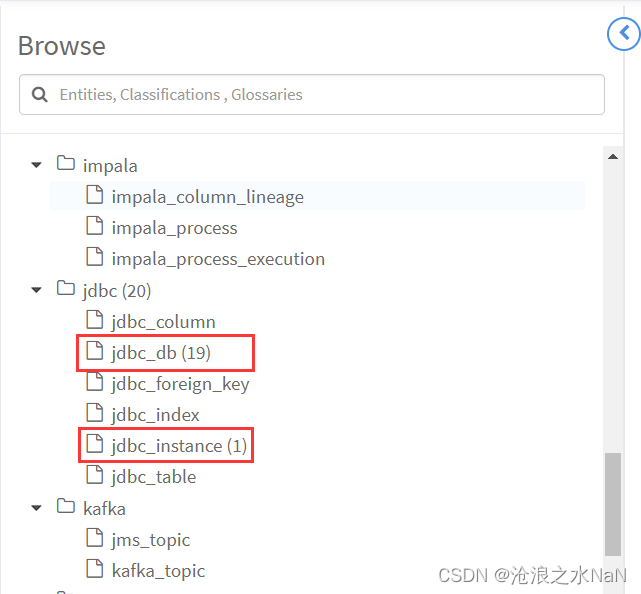
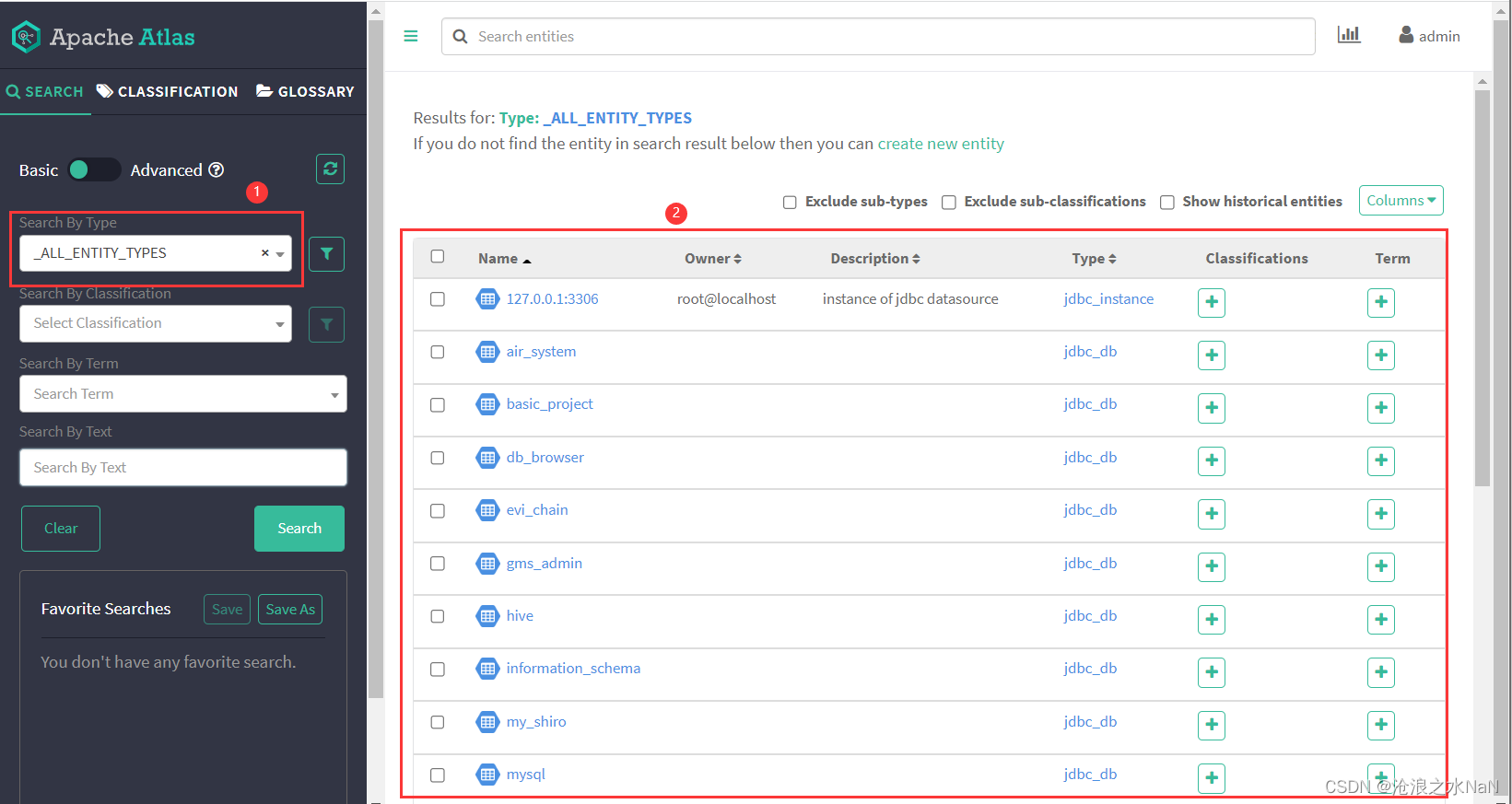
调用结果:可以发现系统中新增该类型
二、采集MySQL元数据
主要有如下两种方式:
- 使用
MySQL内部数据库information_schema表查询实现 - 通过
jdbc接口DatabaseMetaData方式获取元数据
采用方式2获取元数据
采集其他元数据信息见文档:https://docs.oracle.com/javase/8/docs/api/java/sql/DatabaseMetaData.html
    public static Connection getConnection(){
        Connection conn = null;
        String driver = "com.mysql.cj.jdbc.Driver";
        String url = "jdbc:mysql://localhost:3306";
        String user = "root";
        String password = "****";
        try {
            Class.forName(driver);
            conn = DriverManager.getConnection(url, user, password);
            conn.setAutoCommit(true);
        } catch (Exception e) {
            e.printStackTrace();
        }
        return conn;
    }

    @Test
    public void getDataBaseInfo() throws SQLException {
        Connection conn =  getConnection();
        DatabaseMetaData dbmd = conn.getMetaData();
        System.out.println("数据库URL: " + dbmd.getURL());
        System.out.println("数据库已知的用户: "+ dbmd.getUserName());
        System.out.println("数据库的产品名称:" + dbmd.getDatabaseProductName());
        System.out.println("数据库的版本:" + dbmd.getDatabaseProductVersion());
        System.out.println("驱动程序的名称:" + dbmd.getDriverName());
        System.out.println("驱动程序的版本:" + dbmd.getDriverVersion());
    }
    @Test
    public void getCatalogInfo() throws SQLException {
        Connection conn =  getConnection();
        ResultSet rs;
        DatabaseMetaData dbmd = conn.getMetaData();
        rs = dbmd.getCatalogs();
        while (rs.next()){
            String tableSchem = rs.getString("TABLE_CAT");
            System.out.println(tableSchem);
        }
    }
三、导入元数据到Atals
将元数据转换成Atlas Entity
public class DataSourceEntity extends BaseEntity {

    public void createJdbcInstance(
            DataSourceMeta dataSourceMeta,
            String... classificationNames
    ) throws Exception {

        AtlasEntity datasourceEntity = new AtlasEntity(JDBC_INSTANCE);
        // set attributes
        String name = Utils.getIpAndPort(dataSourceMeta.getUrl()).get();
        String qualifiedName = name + "@" + dataSourceMeta.getProductName().toLowerCase();
        String description = "instance of jdbc datasource";
        String owner = dataSourceMeta.getUserName();

        datasourceEntity.setAttribute(NAME, name);
        datasourceEntity.setAttribute(QUALIFIED_NAME, qualifiedName);
        datasourceEntity.setAttribute(DESCRIPTION, description);
        datasourceEntity.setAttribute(OWNER, owner);

        datasourceEntity.setAttribute("url", dataSourceMeta.getUrl());
        datasourceEntity.setAttribute("userName", dataSourceMeta.getUserName());
        datasourceEntity.setAttribute("productName", dataSourceMeta.getProductName());
        datasourceEntity.setAttribute("productVersion", dataSourceMeta.getProductVersion());
        datasourceEntity.setAttribute("driverName", dataSourceMeta.getDriverName());
        datasourceEntity.setAttribute("isReadOnly", dataSourceMeta.getIsReadOnly());

        // set classifications
        datasourceEntity.setClassifications(toAtlasClassifications(classificationNames));

        AtlasEntity instance = createInstance(datasourceEntity);

        createCatalogEntities(qualifiedName, instance, dataSourceMeta.getCatalogMetas(),classificationNames);
    }


    private void createCatalogEntities(
            String cluster,
            AtlasEntity datasource,
            List<CatalogMeta> catalogMetas,
            String... classificationNames
    ) throws Exception {
        for (CatalogMeta catalogMeta : catalogMetas) {
            AtlasEntity columnEntity = createCatalogEntity(cluster, datasource, catalogMeta, classificationNames);
        }
    }

    private AtlasEntity createCatalogEntity(
            String cluster,
            AtlasEntity datasource,
            CatalogMeta catalogMeta,
            String... classificationNames
    ) throws Exception {
        AtlasEntity entity = new AtlasEntity(BaseEntity.JDBC_DB);

        String qualifiedName = cluster + "." + catalogMeta.getCatalogName();
        // set attributes
        entity.setAttribute(NAME, catalogMeta.getCatalogName());
        entity.setAttribute(QUALIFIED_NAME, qualifiedName);

        entity.setAttribute("catalogName", catalogMeta.getCatalogName());
        entity.setAttribute("schemaName", catalogMeta.getSchemaName());

        entity.setRelationshipAttribute("instance", toAtlasRelatedObjectId(datasource));

        // set classifications
        entity.setClassifications(toAtlasClassifications(classificationNames));

        return createInstance(entity);
    }
}
调用API接口导入元数据:
接口地址:/v2/entity
请求方式:POST
请求数据类型:application/json
调用示例:
    protected AtlasEntity createInstance(AtlasEntity entity) throws Exception {
        return createInstance(new AtlasEntity.AtlasEntityWithExtInfo(entity));
    }

    protected AtlasEntity createInstance(AtlasEntity.AtlasEntityWithExtInfo entityWithExtInfo) throws Exception {
        AtlasEntity             ret      = null;
        EntityMutationResponse  response = atlasClientV2.createEntity(entityWithExtInfo);
        List<AtlasEntityHeader> entities = response.getEntitiesByOperation(EntityMutations.EntityOperation.CREATE);

        if (CollectionUtils.isNotEmpty(entities)) {
            AtlasEntity.AtlasEntityWithExtInfo getByGuidResponse = atlasClientV2.getEntityByGuid(entities.get(0).getGuid());

            ret = getByGuidResponse.getEntity();
        }
        return ret;
    }
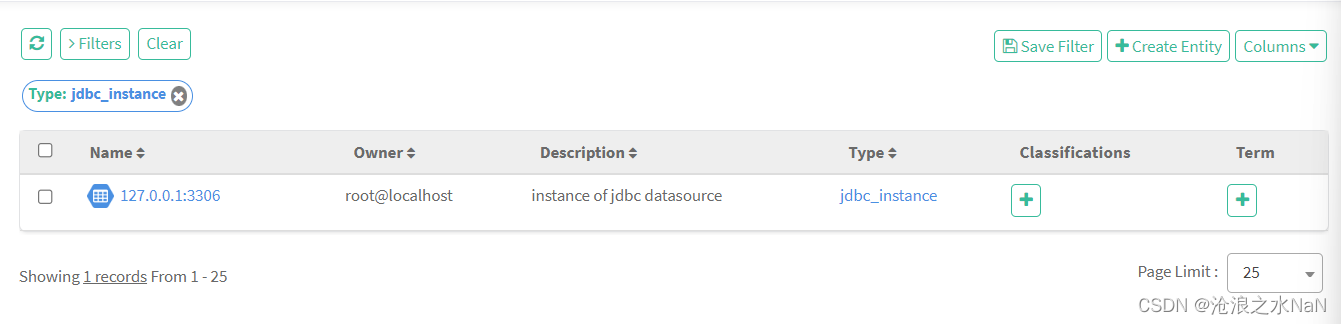
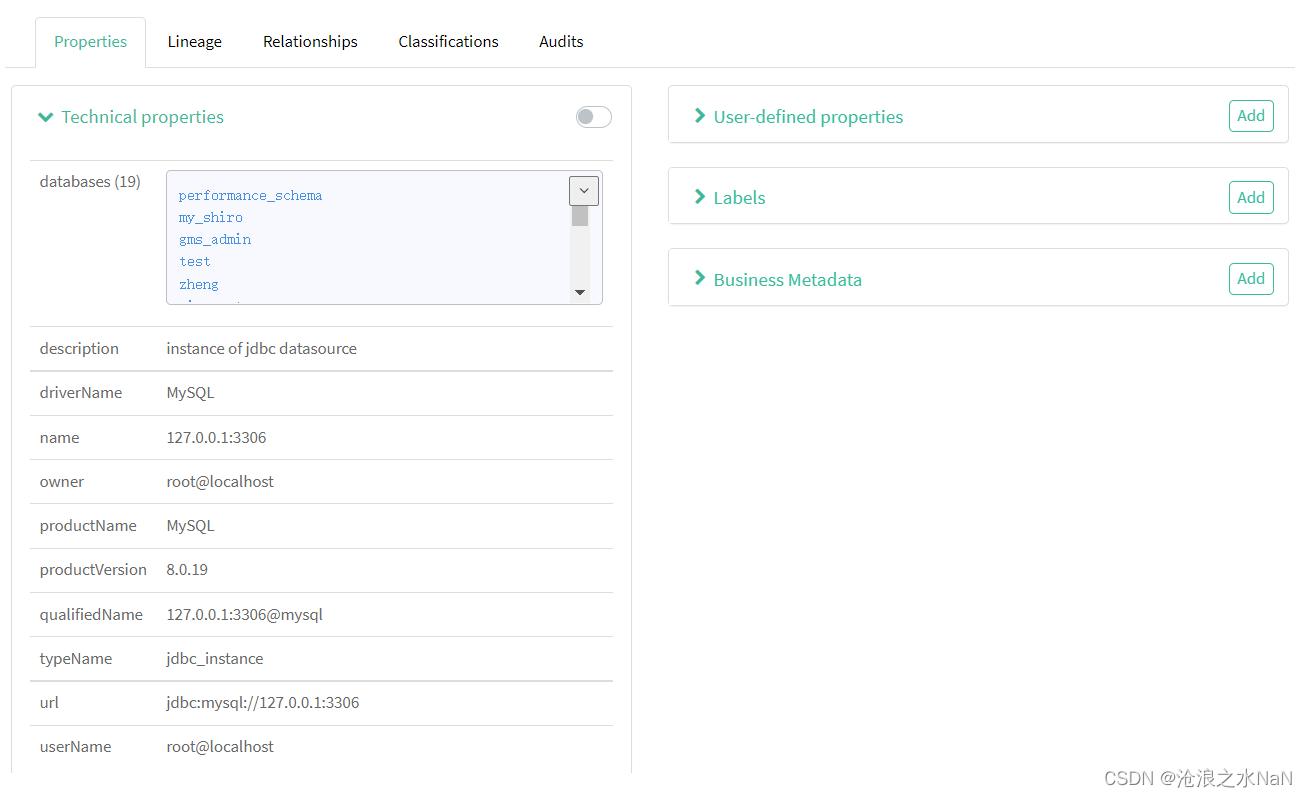
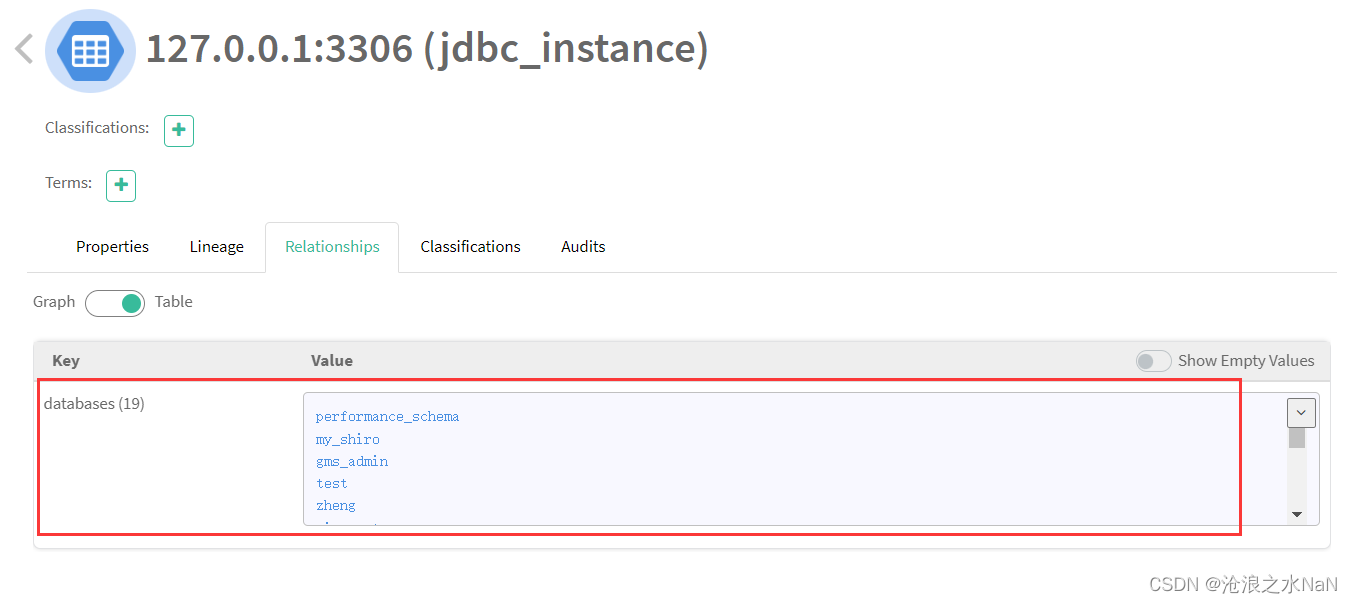
调用结果:
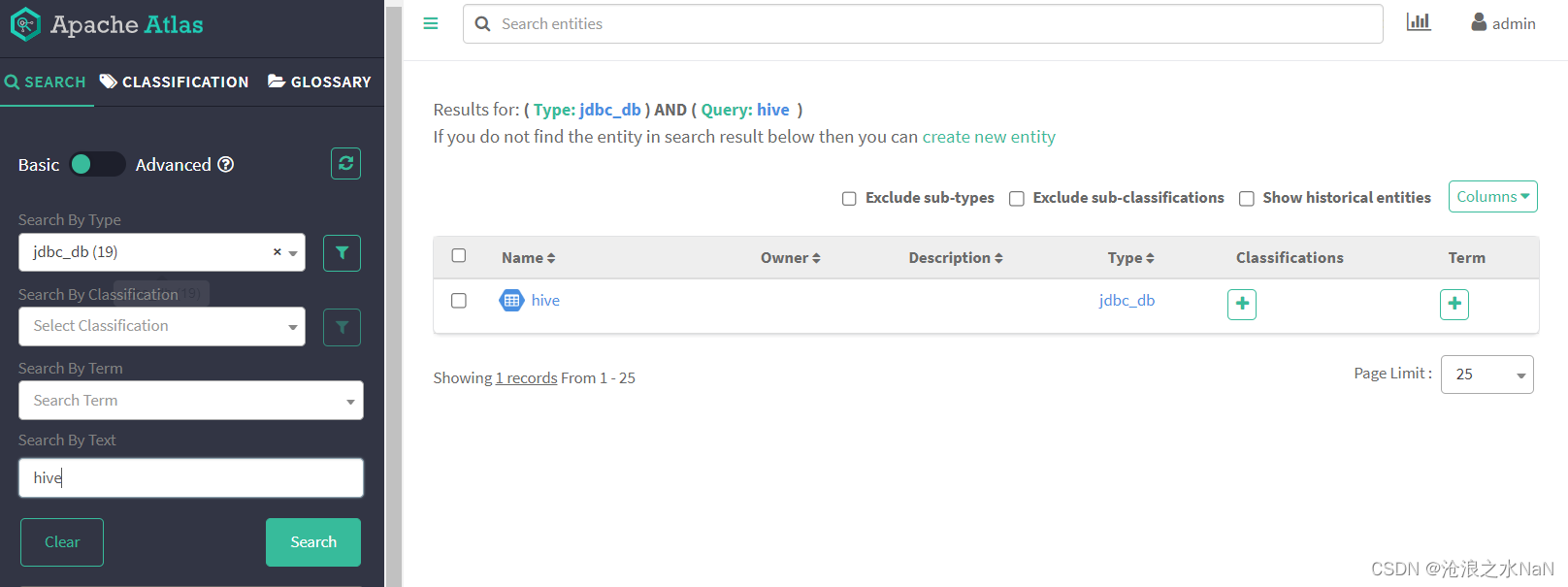
四、测试查询导入的元数据
五、打包成便于调用的工具
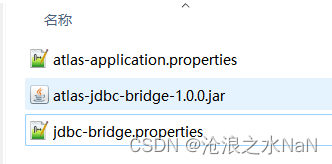
配置文件与JAR包
JAR包使用流程
Apache Atlas:配置文件atlas-application.properties(只需声明Atlas url)######### Atlas Server Configs ######### atlas.rest.address=http://localhost:21000- 配置
jdbc-bridge.properties主要包括如下######### RDBMS Configs ######### jdbc.cluster=mysql #数据库实例的名称(也即在Atlas中的显示名称,需要保证唯一) jdbc.driver=com.mysql.cj.jdbc.Driver jdbc.url=jdbc:mysql://localhost:3306 jdbc.username=root jdbc.password=root - 调用
java -jar atlas-jdbc-bridge-1.0.0.jar -dir "C:/Users/mhh/Desktop/test"-d [或者 -dir]用来指明配置文件的文件夹路径
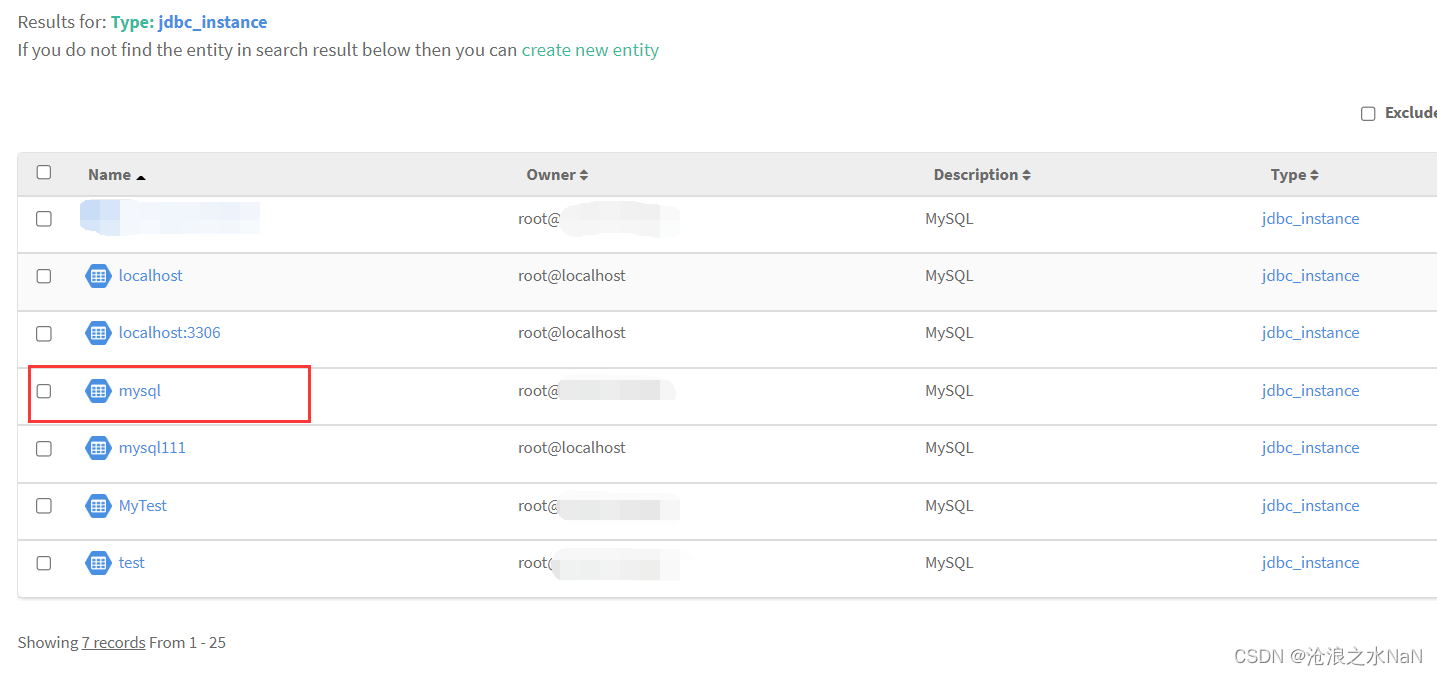
需要手动输入INFO [main] - Loading atlas-application.properties from file:/C:/Users/mhh/Desktop/test/atlas-application.properties INFO [main] - Using graphdb backend 'janus' INFO [main] - Using storage backend 'hbase2' INFO [main] - Using index backend 'solr' INFO [main] - Atlas is running in MODE: PROD. INFO [main] - Setting solr.wait-searcher property 'false' INFO [main] - Setting index.search.map-name property 'false' INFO [main] - Setting atlas.graph.index.search.max-result-set-size = 500000 INFO [main] - Setting atlas.graph.index.search.solr.wait-searcher = false INFO [main] - Property (set to default) atlas.graph.cache.db-cache = true INFO [main] - Property (set to default) atlas.graph.cache.db-cache-clean-wait = 20 INFO [main] - Property (set to default) atlas.graph.cache.db-cache-size = 0.5 INFO [main] - Property (set to default) atlas.graph.cache.tx-cache-size = 15000 INFO [main] - Property (set to default) atlas.graph.cache.tx-dirty-size = 120 Enter username for atlas :- admin Enter password for atlas :-Atlas用户名(username)和密码(password) - 最终结果
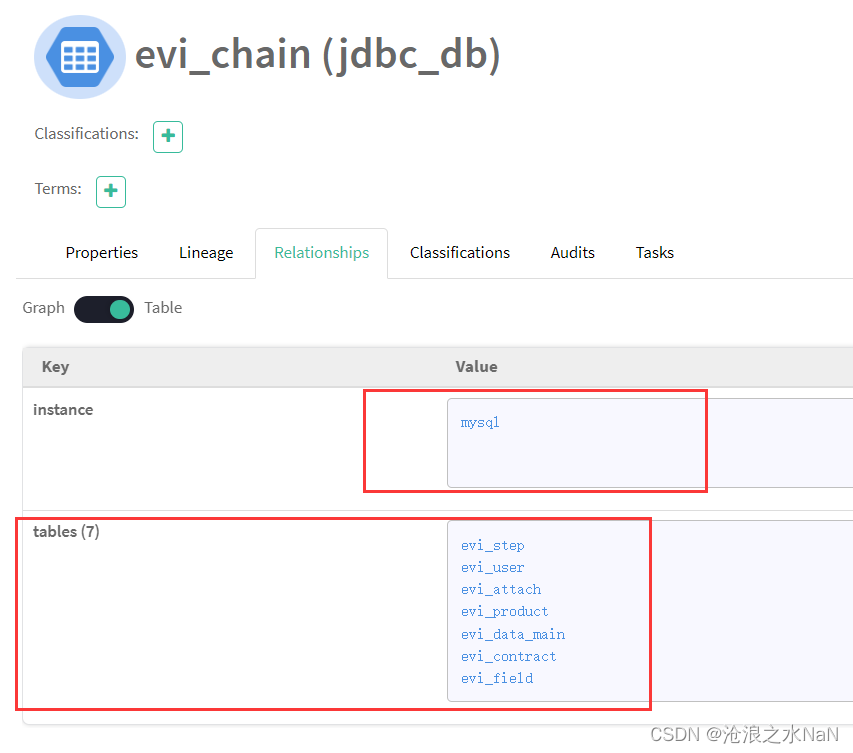
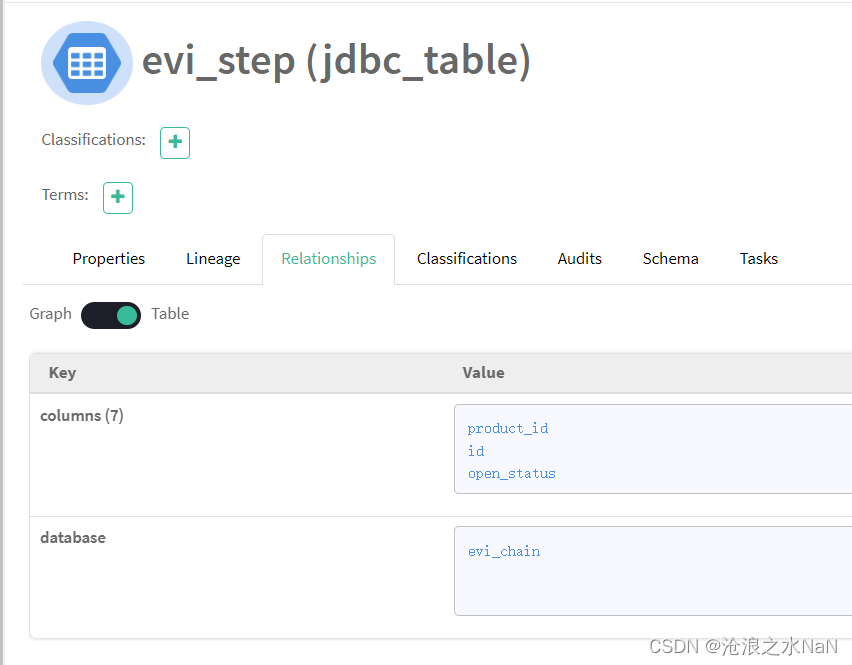
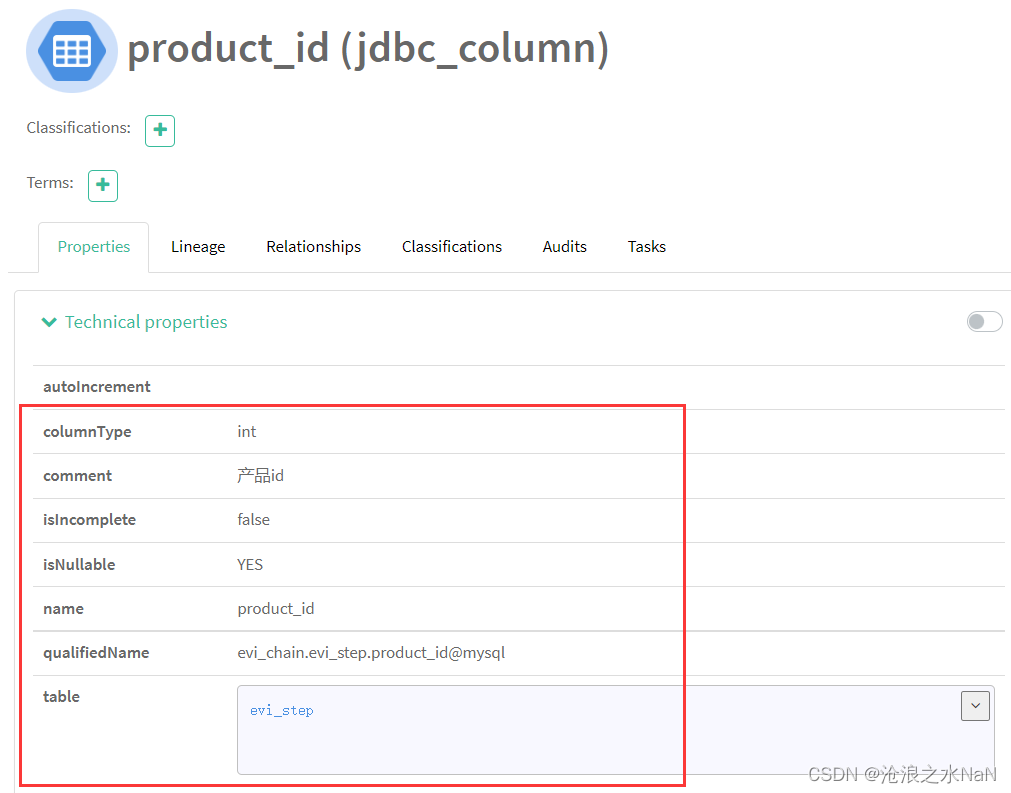
六 附录

昇腾计算产业是基于昇腾系列(HUAWEI Ascend)处理器和基础软件构建的全栈 AI计算基础设施、行业应用及服务,https://devpress.csdn.net/organization/setting/general/146749包括昇腾系列处理器、系列硬件、CANN、AI计算框架、应用使能、开发工具链、管理运维工具、行业应用及服务等全产业链
更多推荐

 11
11 0
0- 0


 已为社区贡献3条内容

所有评论(0)