mindspore ubuntu18.04详细安装教程,从头开始配置4(成功)
实在对不起,又要从头开始。
我是毛华望。继续啊。
这一次,我先安装的nvidia驱动。
sudo apt-get install ubuntu-drivers-common
ubuntu-drivers devices
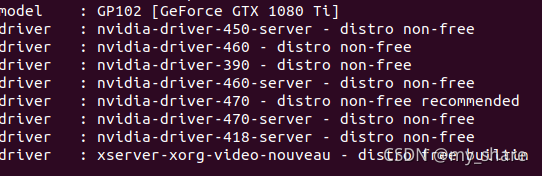
sudo apt-get install -y nvidia-driver-450安装后,需要设置密码。然后就设置了一下。
xxxxxxx。
重新启动后,会出现。 perform mok management

然后 打开终端。
lsmod | grep nouveau
nvidia-smi 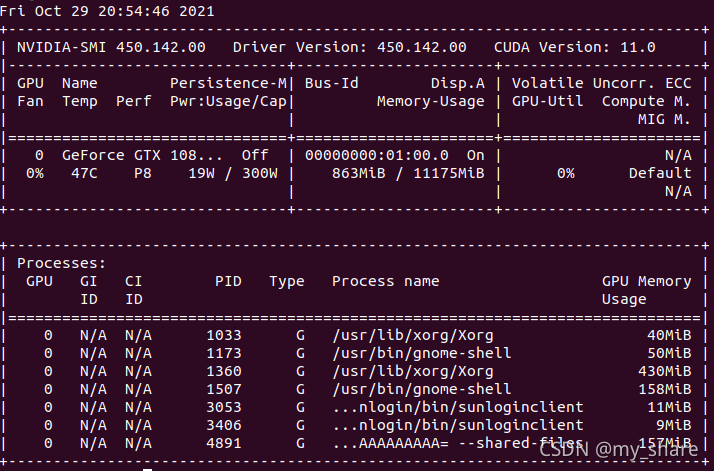 看样子,安装已经可以了。
mindspore ubuntu18.04详细安装教程,从头开始配置2_my_share的专栏-CSDN博客
下载Anaconda3-2021.05-Linux-x86_64.sh
安装。
mao@mao-Name:~$ bash Anaconda3-2021.05-Linux-x86_64.sh
pycharm-community-2021.2.tar.gz
(base) mao@mao-Name:~$ cd pycharm-community-2021.2/
(base) mao@mao-Name:~/pycharm-community-2021.2$ cd bin
(base) mao@mao-Name:~/pycharm-community-2021.2/bin$ sh ./pycharm.sh
上面的文章有写这些。
mindspore ubuntu18.04详细安装教程,从头开始配置3_my_share的专栏-CSDN博客
先创建一个虚拟环境吧。

找不到命令。
export PATH="/home/mao/anaconda3/bin:$PATH"
重新打开终端。
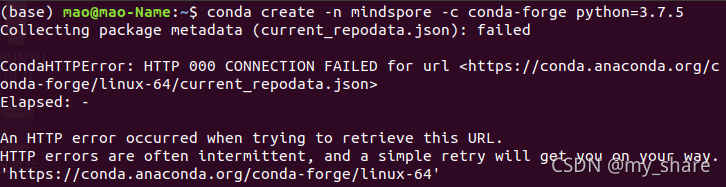
找一下清华镜像。
channels:
  - https://mirrors.tuna.tsinghua.edu.cn/anaconda/pkgs/free/
  - https://mirrors.tuna.tsinghua.edu.cn/anaconda/cloud/conda-forge/
  - https://mirrors.tuna.tsinghua.edu.cn/anaconda/cloud/msys2/


show_channel_urls: true
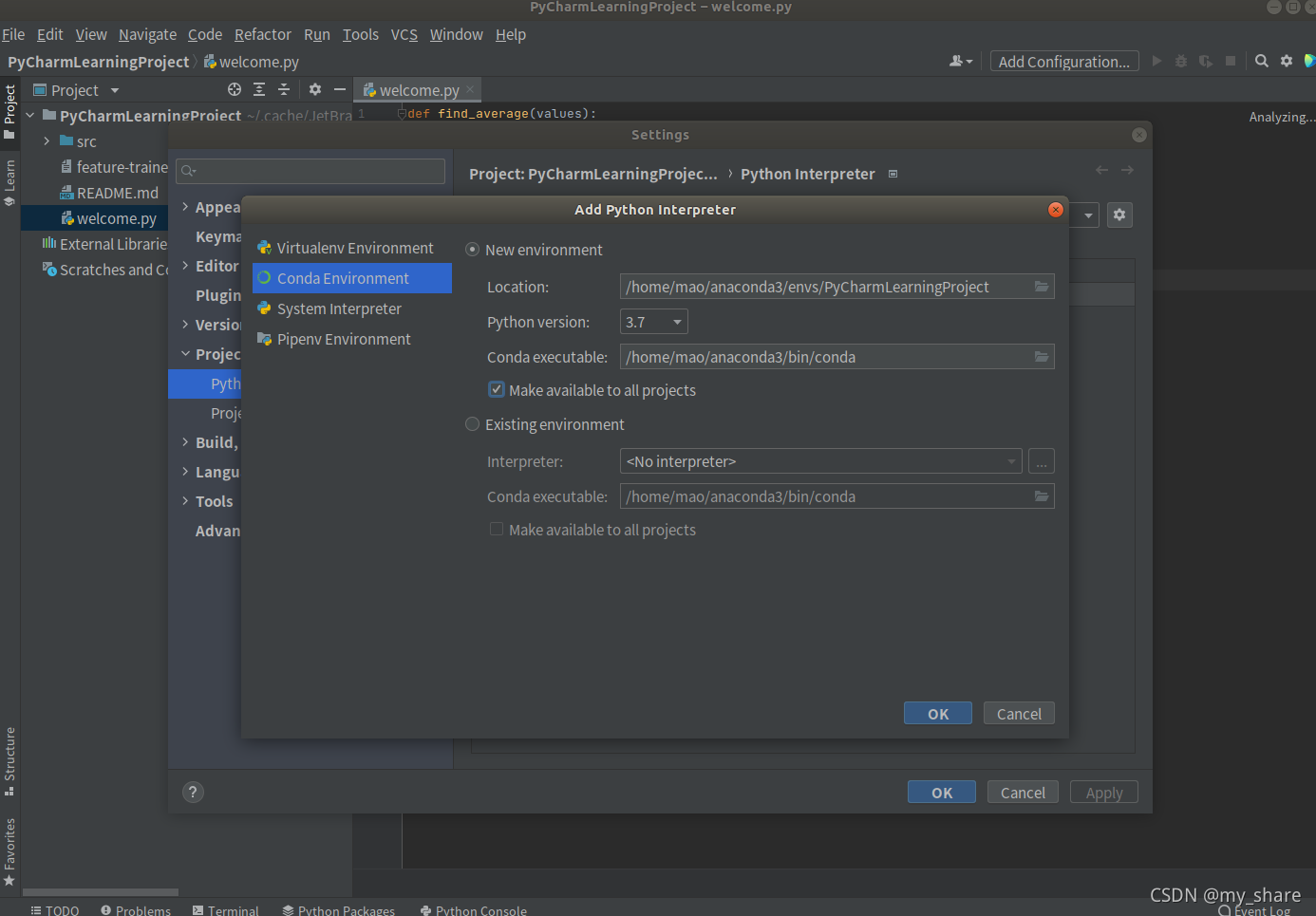
还是不行。那就先到pycharm里面配置一下conda。
难道晚上会很卡不成。晚上11点了。明天早上在配置吧。
但是可以先把CUDA 10.1配置一下。
mindspore ubuntu18.04详细安装教程,从头开始配置2_my_share的专栏-CSDN博客
按照这一篇的内容配置的。
channels:
  - http://mirrors.tuna.tsinghua.edu.cn/anaconda/pkgs/free/
  - http://mirrors.tuna.tsinghua.edu.cn/anaconda/cloud/conda-forge/
  - http://mirrors.tuna.tsinghua.edu.cn/anaconda/cloud/msys2/
  - http://mirrors.tuna.tsinghua.edu.cn/anaconda/cloud/bioconda/
  - http://mirrors.tuna.tsinghua.edu.cn/anaconda/pkgs/main/
show_channel_urls: true
ssl_verify: false
conda create -n minspore python=3.7.5 在试验一下。
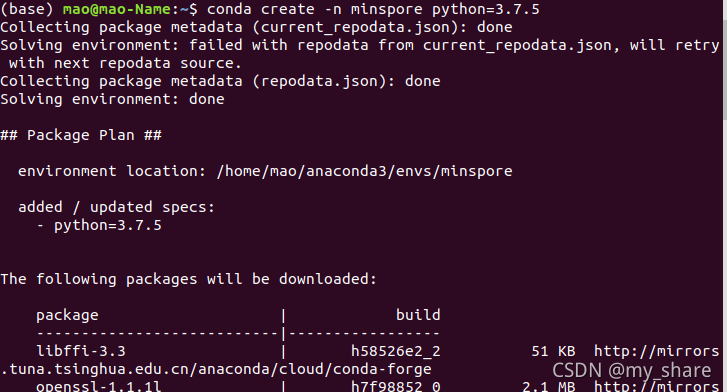
居然可以了。
conda activate minspore

激活。
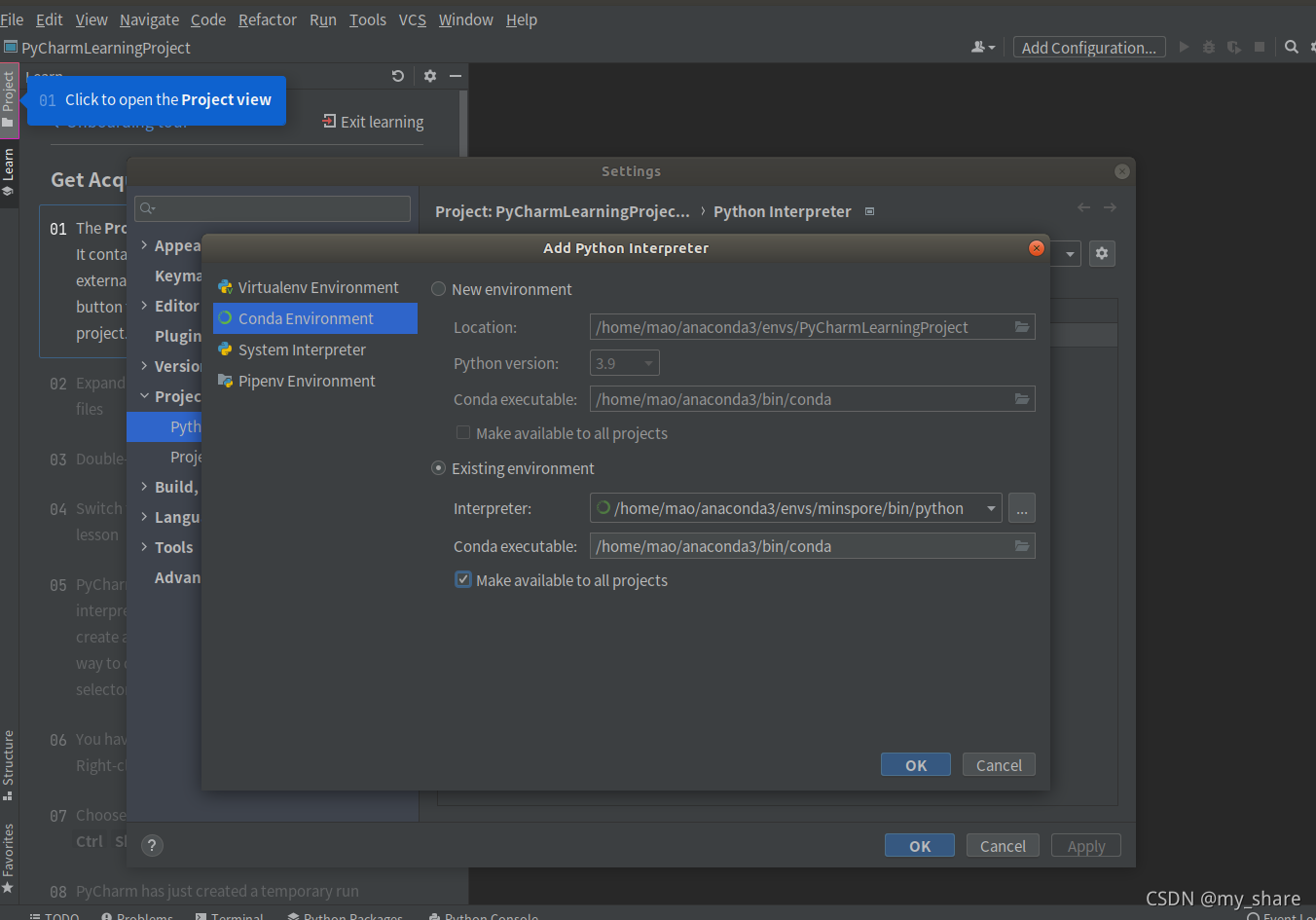
更换环境。
import numpy as np
from mindspore import Tensor
import mindspore.ops as ops
import mindspore.context as context

context.set_context(device_target="GPU")
x = Tensor(np.ones([1,3,3,4]).astype(np.float32))
y = Tensor(np.ones([1,3,3,4]).astype(np.float32))
print(ops.add(x, y))
先弄一个python文件。
numpy安装一下。
pip install https://ms-release.obs.cn-north-4.myhuaweicloud.com/1.5.0/MindSpore/gpu/x86_64/cuda-10.1/mindspore_gpu-1.5.0-cp37-cp37m-linux_x86_64.whl --trusted-host ms-release.obs.cn-north-4.myhuaweicloud.com -i https://pypi.tuna.tsinghua.edu.cn/simple
安装一下吧
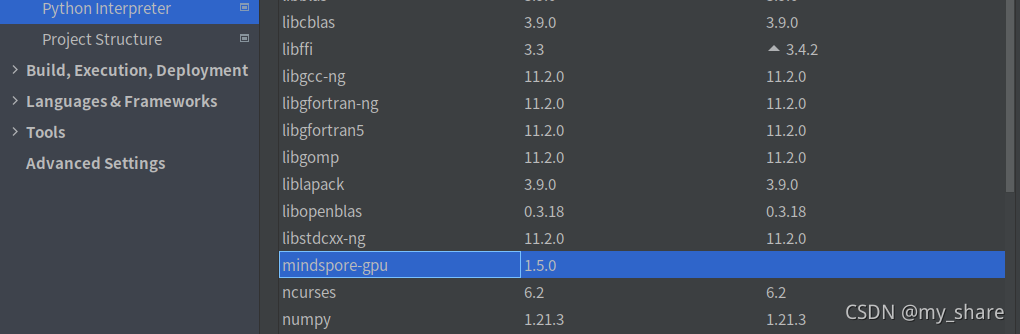
看样子是安装上了。
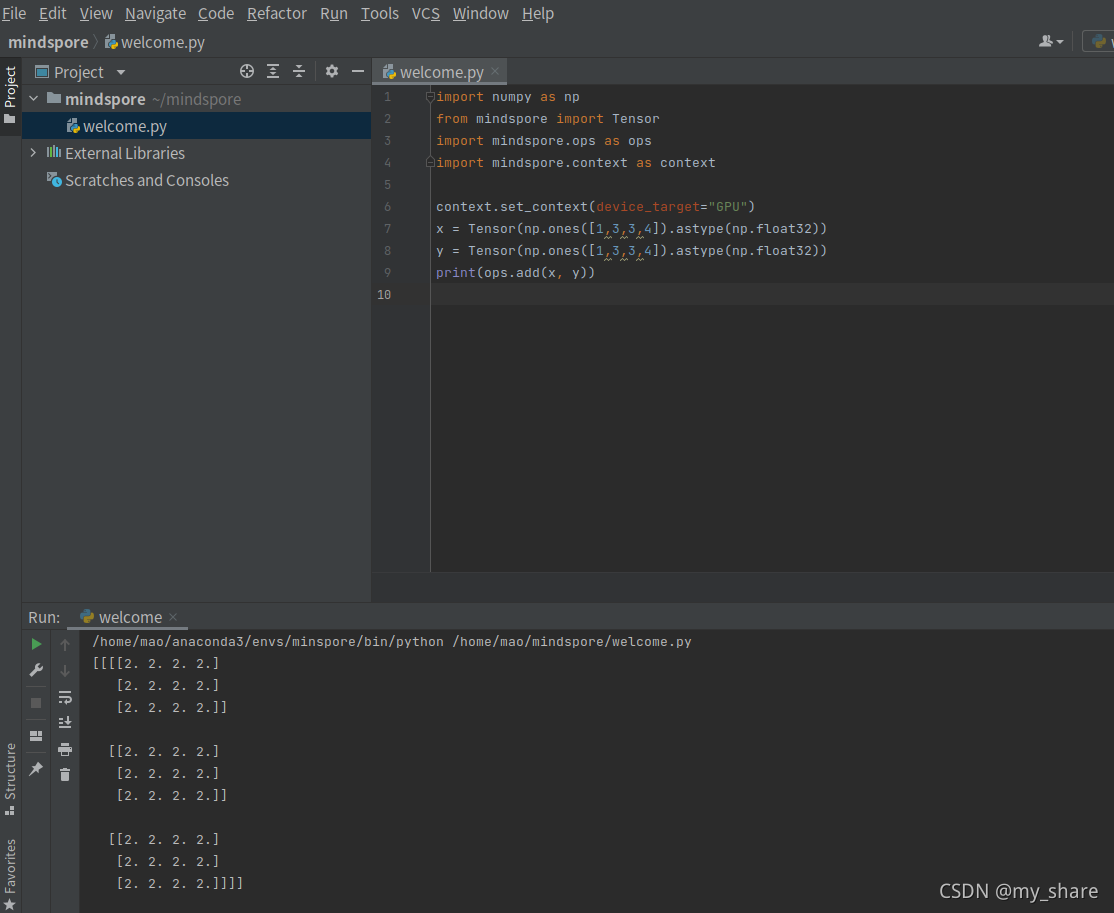
发现可以了。
可以了。可以了。一把鼻涕一把泪啊。
支持国产,欧也。

昇腾计算产业是基于昇腾系列(HUAWEI Ascend)处理器和基础软件构建的全栈 AI计算基础设施、行业应用及服务,https://devpress.csdn.net/organization/setting/general/146749包括昇腾系列处理器、系列硬件、CANN、AI计算框架、应用使能、开发工具链、管理运维工具、行业应用及服务等全产业链
更多推荐

 1
1 0
0- 0


 已为社区贡献6条内容

所有评论(0)