完美解决Cannot resolve plugin org.apache.maven.plugins:maven-jar-plugin:3.2.0插件依赖和springboot依赖冲突
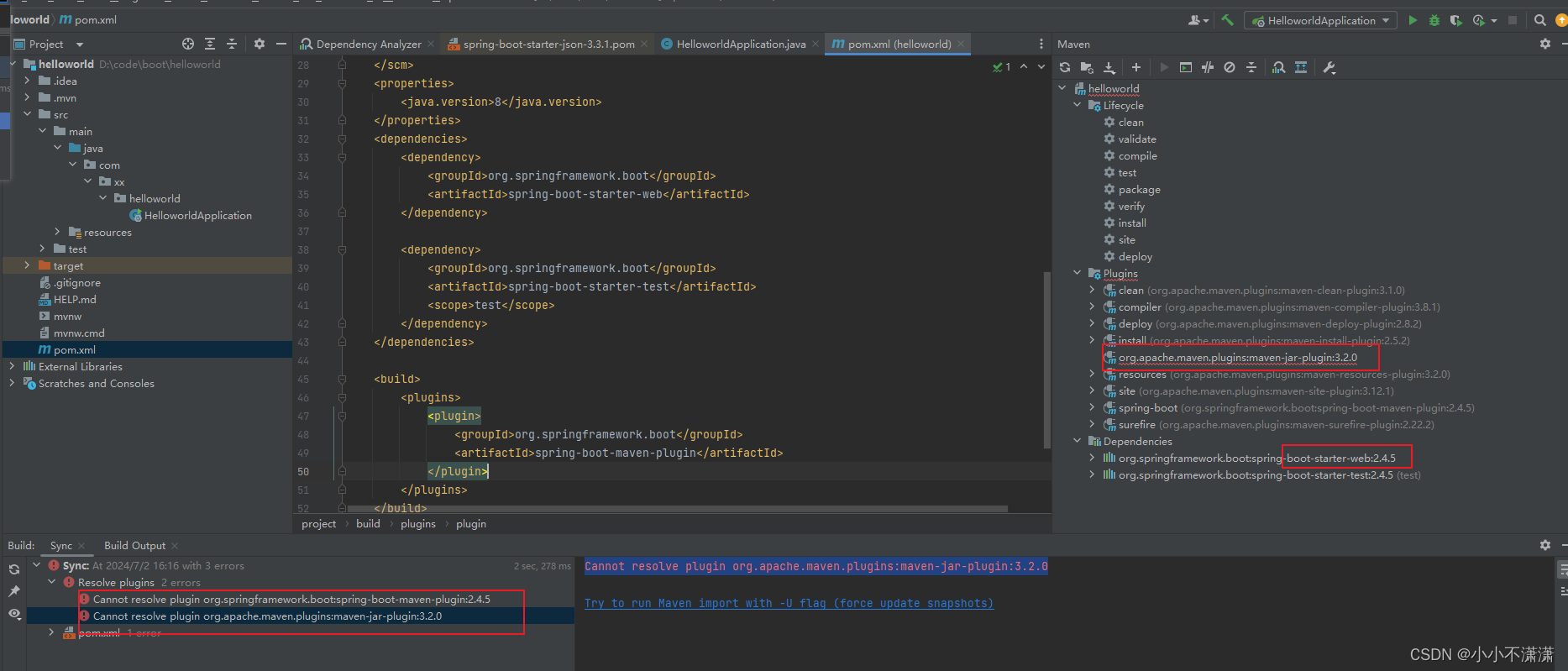
网上大部分不是加阿里云镜像就是idea的Maven配置选到自己的本地仓库;不过那个一般是解决下载依赖会超时的问题,阿里云的下载可以快很多;下面来说解决办法,我试过改很多版本,不是插件依赖冲突,就是项目需要的依赖冲突,最终我在只剩插件冲突依赖的情况下,手动修改插件的依赖。因为我想继续用jdk8,所以选了boot版本2.4.5,但是它不知道怎么把我的插件依赖版本搞那么高;idea的setting改为自
首先注意一下,开始用的是springboot最新3.3.1,3以上要使用jdk17以上;
因为我想继续用jdk8,所以选了boot版本2.4.5,但是它不知道怎么把我的插件依赖版本搞那么高;
首先我是创建了一个springboot项目,改了版本之后一直报错。网上大部分不是加阿里云镜像就是idea的Maven配置选到自己的本地仓库;不过那个一般是解决下载依赖会超时的问题,阿里云的下载可以快很多;不过尽量还是改成阿里云的,不然要自己挂个vpn去下。
我自己的本地仓库是放在d盘下的;
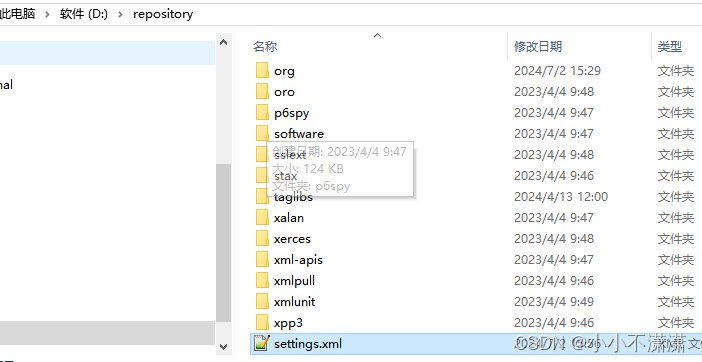
settings.xml里面配置阿里云仓库下载地址
  <mirrors>
    <!-- mirror
     | Specifies a repository mirror site to use instead of a given repository. The repository that
     | this mirror serves has an ID that matches the mirrorOf element of this mirror. IDs are used
     | for inheritance and direct lookup purposes, and must be unique across the set of mirrors.
     |
    <mirror>
      <id>mirrorId</id>
      <mirrorOf>repositoryId</mirrorOf>
      <name>Human Readable Name for this Mirror.</name>
      <url>http://my.repository.com/repo/path</url>
    </mirror>
     -->
	<mirror>
	  <id>aliyunmaven</id>
	  <mirrorOf>*</mirrorOf>
	  <name>阿里云公共仓库</name>
	  <url>https://maven.aliyun.com/repository/public</url>
	</mirror>
  </mirrors>
idea的setting改为自己本地的仓库地址;
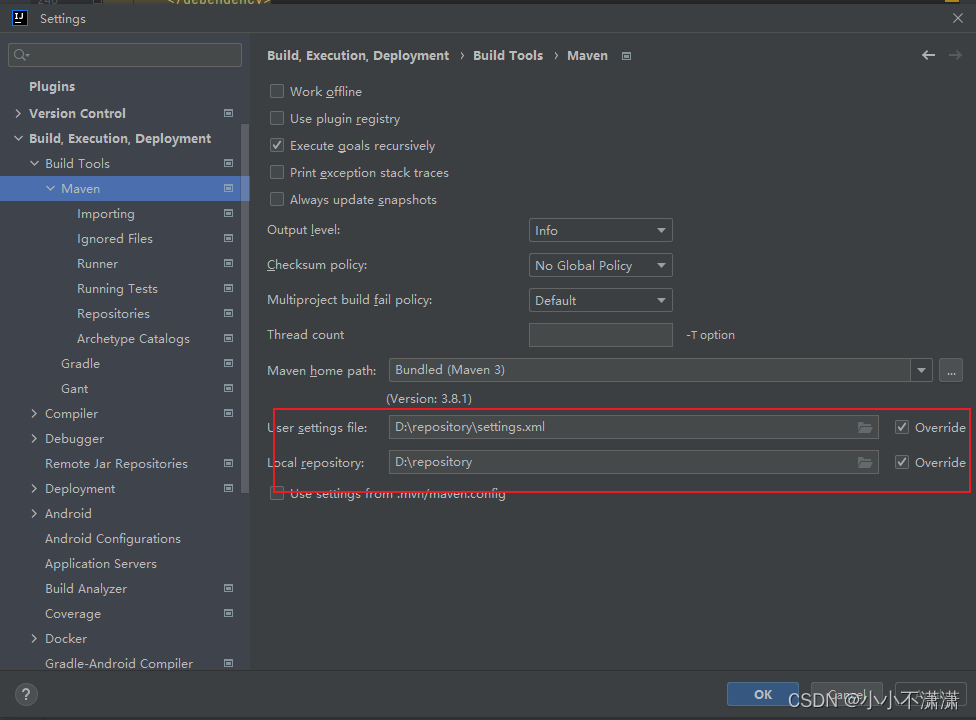
上面是基本的;下面来说解决办法,我试过改很多版本,不是插件依赖冲突,就是项目需要的依赖冲突,最终我在只剩插件冲突依赖的情况下,手动修改插件的依赖
手动修改插件依赖的版本,我降下来2.4就可以了
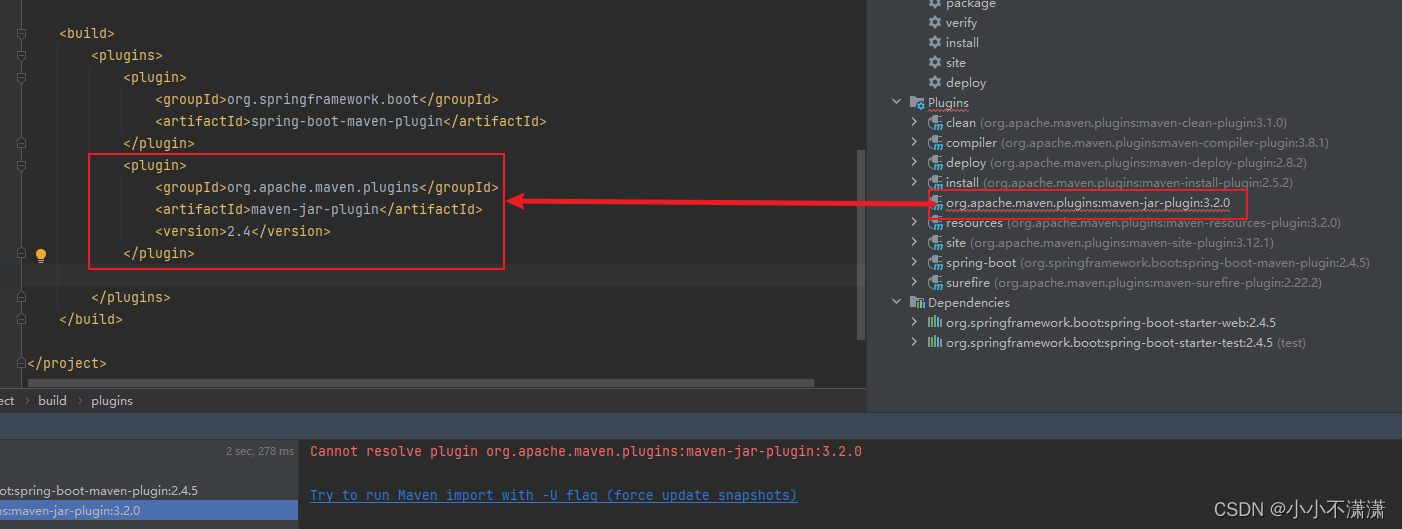
成功解决
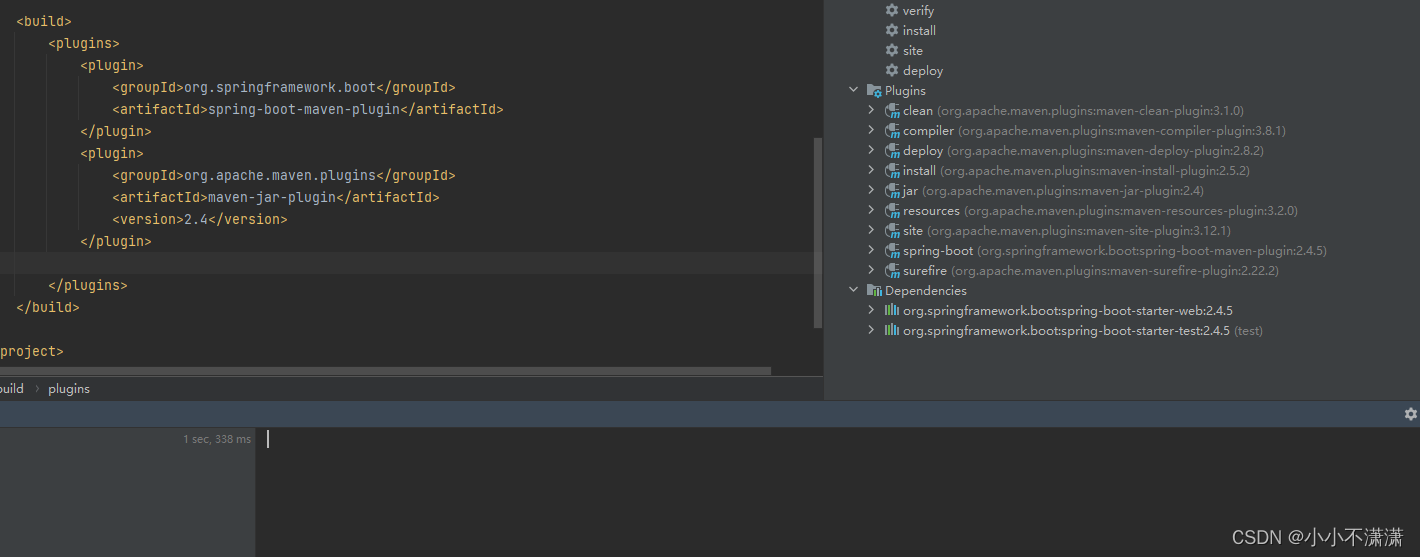 boot项目的依赖冲突真的好烦人,各种版本不匹配呜呜呜

昇腾计算产业是基于昇腾系列(HUAWEI Ascend)处理器和基础软件构建的全栈 AI计算基础设施、行业应用及服务,https://devpress.csdn.net/organization/setting/general/146749包括昇腾系列处理器、系列硬件、CANN、AI计算框架、应用使能、开发工具链、管理运维工具、行业应用及服务等全产业链
更多推荐

 10
10 0
0- 0


 已为社区贡献1条内容

所有评论(0)